LED Mirror Medicine Cabinets with Built-In Outlets&USB Ports and More
LED Mirror Medicine Cabinets with Built-In Outlets & USB Ports
Skip the countertop clutter of chargers, toothbrush docks, and razor cords. These lighted medicine cabinets put power — and often a Bluetooth clock — right where you get ready every morning.
What Is It, and Why Get One?
☀️ What it is
An LED mirror medicine cabinet with built-in power is a standard mirrored storage cabinet with a lit mirror front, plus one or more electrical outlets (and on some models, USB ports) wired directly into the cabinet interior — often paired with a small Bluetooth-synced digital clock on the mirror face.
🔌 Why people choose it
It solves two problems at once: dim vanity lighting and nowhere convenient to charge an electric toothbrush, razor, or hair tool. Instead of a bulky outlet strip on the counter, the power lives inside the cabinet, out of sight and off the sink.
🪞 Who it's best for
Anyone renovating a vanity area who wants a "smart bathroom" upgrade without a full electrician-heavy remodel — especially useful in small bathrooms where every countertop inch matters.
Pros & Cons at a Glance
Before comparing specific models, here's what this whole category tends to get right — and where it falls short.
✓ Pros
- Charge devices right at the mirror — no more counter cords
- Better grooming light than most overhead vanity fixtures
- Adjustable color temperature suits makeup, shaving, or skincare routines
- Anti-fog function keeps the mirror usable right after a shower
- Fits both recessed and surface-mount bathrooms
✗ Cons
- Not every model includes USB ports — some only add standard outlets
- Hardwired installs may require an electrician if you don't already have a switched line
- Pricier than a basic non-lit medicine cabinet
- Glass/mirror finishes limit color options compared to metal-framed cabinets
- LED components add one more thing that could eventually need replacing
Top 5 LED Mirror Medicine Cabinets with Outlets, USB & Bluetooth
A quick note before you scroll: only one of these models includes true USB ports (charging cable required for the rest) — we've called that out clearly on each card so you know exactly what you're getting.

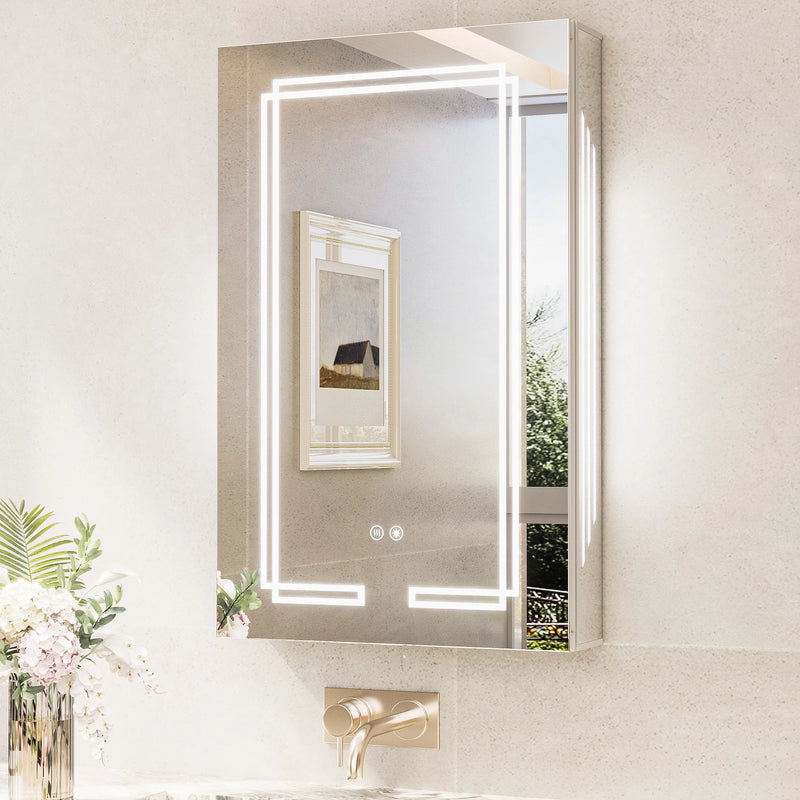
Dual-Lit LED Medicine Cabinet
- Double-sided LED (mirror front + cabinet interior)
- 3 color temps (3000K/4500K/6500K), stepless dimming, memory
- 2 outlets + 2 USB ports, Bluetooth digital clock w/ app sync
- Fast defog, soft-close hinges, ETL & UL listed
| Pros | Cons |
|---|---|
|
|
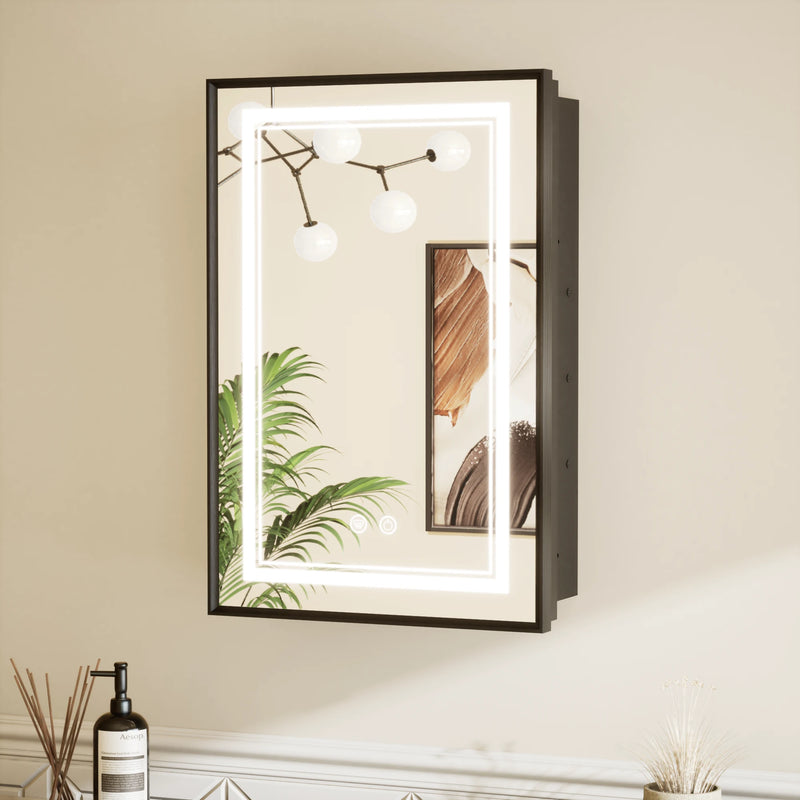
Trio-Lit LED Medicine Cabinet
- Triple lighting zones: front, interior, and side ambient light
- Double-sided mirror, detachable door for easier install
- Stepless dimming, memory function, fast defog
- Bluetooth digital clock w/ app time-sync
| Pros | Cons |
|---|---|
|
|
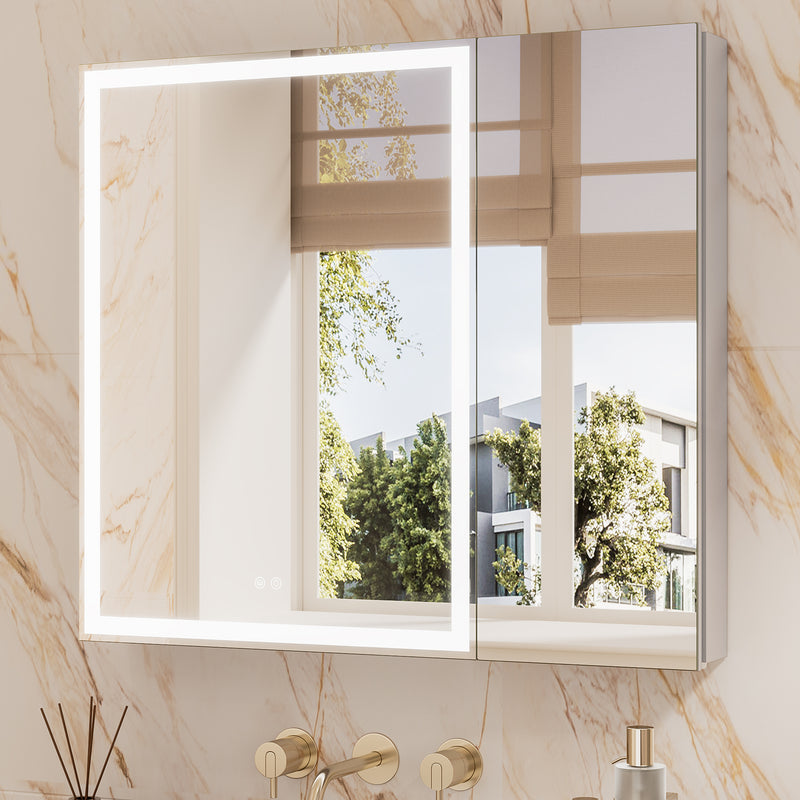
Framed LED Medicine Cabinet
- 2 built-in AC outlets (125V/15A)
- 3-color dimmable LED, fast defog, memory function
- IP44 waterproof rating for humid bathrooms
- Soft-close doors with magnetic catch
| Pros | Cons |
|---|---|
|
|
Medicine Cabinet Mirror with Lights
- 3 color temps, 5%–100% stepless dimming
- 90+ CRI LED for true-to-life color
- 2 built-in AC outlets, fast anti-fog (1-hr auto shut-off)
- Waterproof, rust-resistant aluminum body
| Pros | Cons |
|---|---|
|
|
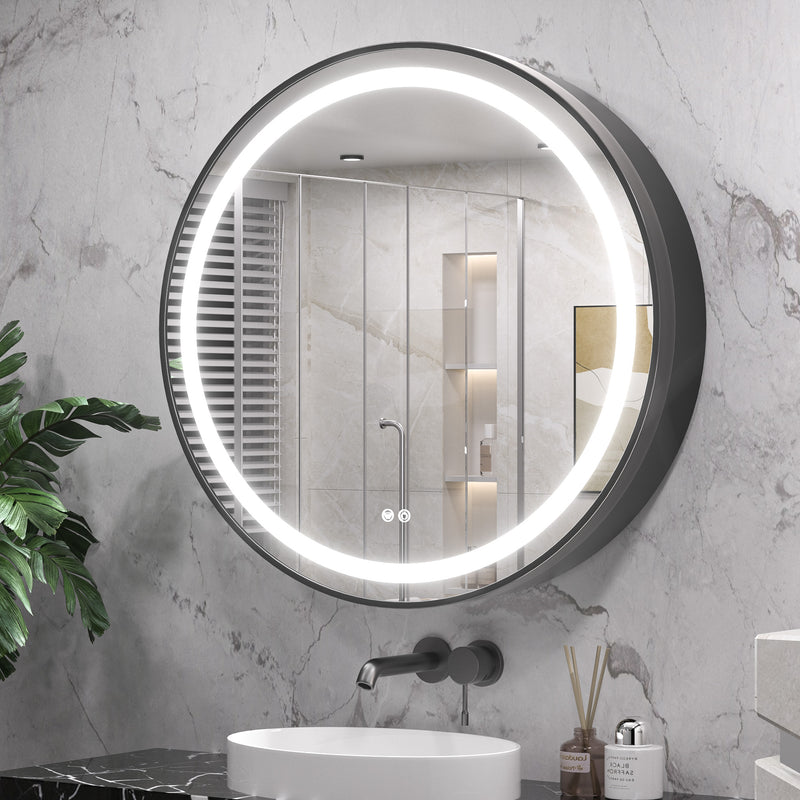
Round LED Medicine Cabinet
- Round metal frame, 3-color dimmable LED
- Integrated power outlet inside the cabinet
- Detachable shelves and dividers (26"+ only)
- Smooth hinge with noise-reducing magnetic bumpers
| Pros | Cons |
|---|---|
|
|
How to Install It
Both mounting styles work with outlet-equipped cabinets — the main extra decision is whether to hardwire the outlets into a switched line or simply plug the cabinet into an existing nearby outlet.
Recessed Installation
Check the stud bay & wiring plan
Confirm there's an open cavity at your chosen height, and decide now whether you'll hardwire the cabinet's outlets or run a plug-in cord to a nearby receptacle.
Cut the opening and run power if hardwiring
Trace and cut the rough-in dimensions from your manual; if hardwiring, have an electrician run a switched line into the opening before the cabinet goes in.
Mount the cabinet box
Slide the box into the opening, level it, and screw through the mounting flanges into the studs or added blocking.
Connect power and test the LED
Wire the outlets/LED driver per the manual, then power on and test all lighting modes and any outlets before closing up the wall trim.
Hang the door and finish the edges
Attach the mirrored door, adjust for an even reveal, and caulk the frame edge for a clean, flush finish.
Surface Mount Installation
Mark your mounting height
Hold the cabinet or template against the wall, mark the top edge and center line, and confirm a nearby outlet if you're going the plug-in route.
Locate studs or plan anchors
Use a stud finder; where mounting points fall between studs, use the drywall or tile anchors included in your hardware kit.
Install the bracket or French cleat
Level and secure the included mounting bracket, double-checking plumb before driving in every screw.
Hang the cabinet and connect power
Lift the cabinet onto the bracket, plug in the power cord (or connect to your switched line if hardwired), and test the LED and outlets.
Secure the base and check the door swing
Add any bottom screws specified in the manual, then open and close the door fully to confirm it swings freely.
How to Maintain It
These cabinets combine electronics, mirror glass, and metal or aluminum framing — each needs slightly different care to last.
Daily & Weekly Care
- Wipe the mirror with a soft microfiber cloth and a non-ammonia glass cleaner — ammonia-based cleaners can degrade mirror backing over time
- Dry the frame after showers if it's directly in the splash zone, especially aluminum and steel finishes
- Keep the defog sensor area free of makeup or product residue so it senses moisture correctly
Longer-Term Upkeep
- Check that soft-close hinges are still closing smoothly; a drop of silicone lubricant on the hinge pin can quiet squeaks
- Inspect any outlets or USB ports for dust or moisture buildup and clean gently with a dry brush
- Re-tighten mounting screws if the cabinet feels at all loose on the wall, especially after the first few months of use
- If the LED dims unevenly or won't hold a setting, check the manual's troubleshooting section before assuming the driver has failed — most issues are a loose connection
FAQs
Do all LED medicine cabinets have USB ports?
No — of the five cabinets above, only the Dual-Lit LED Medicine Cabinet includes true USB ports. The others add standard AC outlets only, so check the specs before assuming USB charging is included.
Can I plug these in instead of hardwiring?
Most models support both. Plugging in is simpler for renters or anyone who doesn't want to open the wall for new wiring; hardwiring gives a cleaner, cordless look tied to a wall switch.
Will the built-in outlets trip if I run a hair dryer?
Check the cabinet's max wattage rating in its spec sheet before running high-draw appliances like hair dryers through built-in outlets — some are rated for lower-draw devices like toothbrushes and razors only.
Ready to Upgrade Your Vanity?
Browse the full Tetote LED medicine cabinet collection and filter by size, outlets, and finish.
Shop All LED Medicine Cabinets →